SurveyNest on your phone

Walk the building.
Keep every detail.

From roof coverings to ceilings and internal walls. Capture the findings as you go. Lite covers the whole building, inside and out.

Join the waitlist Watch the film

Invite only for now. Join the waitlist for early access and founding member perks.

Google PlayInternal testing
App StoreAwaiting release

Android testing is for invited testers. Join the waitlist for launch updates.

SurveyNest on a phone, with a sample whole-building survey on Lite. Use the three steps beside the phone, or tap inside it.

SurveyNest14 Orchard Lane
Lite sample

12 of 38 parts rated

Outside the property

  • Chimney stacks1
  • Roof coveringsRate
  • Solar panels1
Roof coverings: condition rating

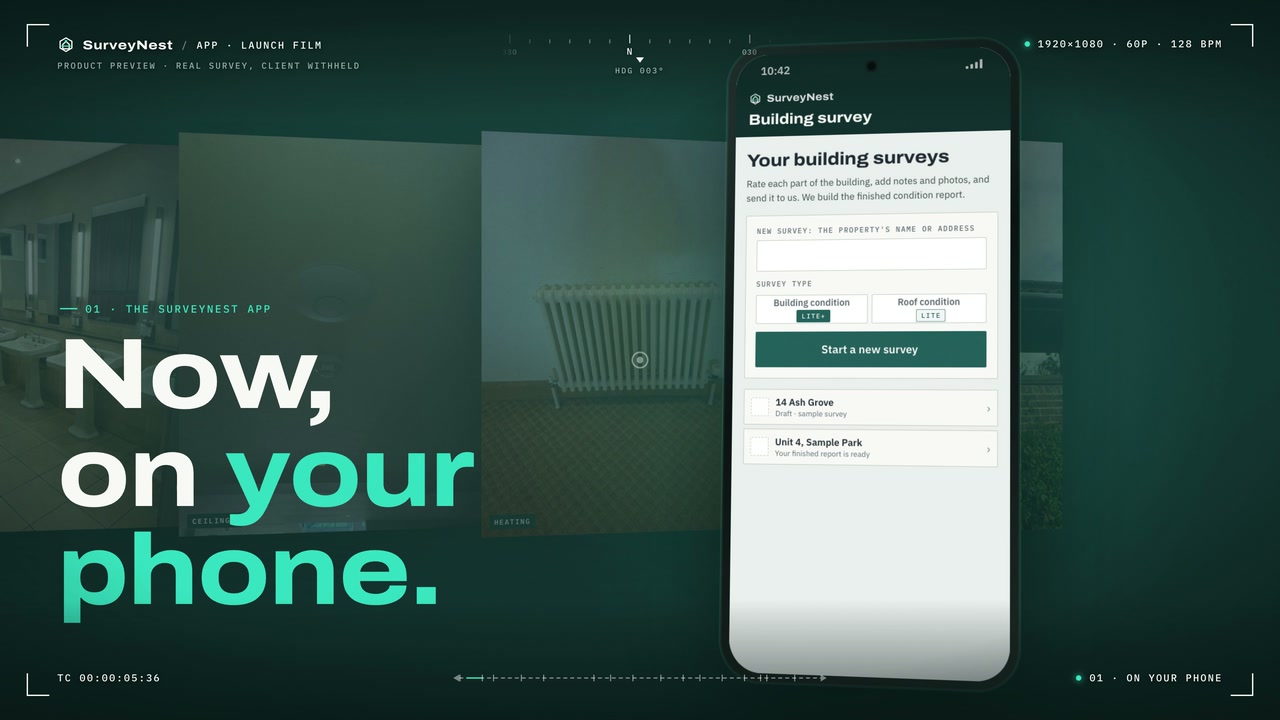
The SurveyNest app film

A still from the published SurveyNest film Watch the film2:01
The SurveyNest app film, narrated. Real survey material, shown with the client's permission. Open the film in TellaVideo playback uses Tella and records viewing statistics.

Less writing up after the visit

From site notes to a draft for review.

Capture the detail while you are there. With your permission, AI uses your survey to prepare the draft, ready for you to check.

Capture once

Keep each photograph and observation with the building element it describes. Work inside or outside, even without signal.

Know when it is ready

Follow the survey's status and open the returned draft. Preparation time depends on the survey size and the checks it needs.

Launch preview

Write it your way. Amend it afterwards.

The next report controls are being prepared for release: choose AI help or build the report yourself, then amend the wording, save a revision and share it. These controls are not yet available in every build.

Today, opting out of AI follows the service's manual preparation route. It does not yet provide the full self-authoring workflow shown here.

Damp, mould and moisture · when you need it

The reading and the room. Together.

A launch workflow preview for Lite, there when a survey calls for it: record the affected element, add photographs and notes, and keep the meter reading with its location.

Choose what you are inspecting

Damp-proof course, rising damp, penetrating damp, condensation, mould growth, ventilation and extractor fans, or plumbing leaks.

Add the evidence

Record the condition, photograph the issue and note where it is. Add the meter make, model, scale and reading rather than inferring moisture from a photograph.

Keep readings organised

Review readings by element and across the survey. Correct an entry without losing its link to the place you inspected.

Carry it into the report

Bring findings, photographs and reading tables into the draft, then review the wording and recommendations.

This expanded workflow is being prepared for the mobile app release. Ask the team which controls are available in your build.

Pricing

Try Lite free for 7 days.

7 days free when Lite opens, with 2 AI reports and 1 brand kit to try.

  1. 1

    Join the waitlist

    Founding members are invited first, before Lite opens to everyone.

  2. 2

    Try it for 7 days

    Free when Lite opens, with 2 AI reports and 1 brand kit to try.

  3. 3

    Keep going

    Keep your Lite account and buy more reports when you need them. Nothing is charged until billing opens.

Lite

The whole building, one surveyor

7 days free

Then one Lite account, with AI reports included each month. Need more? Buy single reports or discounted bundles in the app.

  • Whole-building surveys: outside, inside, services, fire and grounds
  • Up to 400 photos a survey
  • Your company's details on your report cover; your logo and colours to follow
  • PDF reports
  • AI reports included each month, each covering up to 100 photos
  • 25 GB of photos, about 12,000

Pro

Phone and web, for estates

On request

Priced by the number of buildings you look after. Book a call and the team will talk it through with you.

  • Detailed 2D drone maps, thermal pictures and 3D models
  • Suspected wet areas and cut-outs, measured
  • A portal for each client
  • Condition reports and EPC checks, building by building

Book a Pro demo See Pro

Thermal is an extra. Thermal surveys are flown by Surveys Ltd and quoted per building.

Teams, for firms with 2 or more surveyors: shared AI reports and survey list, and one company brand. Price on request: book a call and the team will talk it through with you. Invoiced, not in the app stores.

  • Prices are set when Lite opens.
  • Nothing is charged until billing opens.

For everyone on the waitlist

Founding member perks.

  • Early access. You are invited before Lite opens to everyone.
  • A month free, instead of 7 days, with your AI reports to try.
  • Your launch price kept for your first 12 months.
Join the waitlist

Who the mobile app is for

For the people who walk the building.

  • Building surveyorsA whole building on your phone, and the report in your name.
  • Small surveying firmsYour company's details on every report cover; your logo and colours to follow.
  • Facilities and housing teamsYour own buildings, surveyed on the walk round.
  • Roofing contractorsRate and photograph the roof on site, and send a clear report.
  • Manufacturers' technical repsSite visits written up as a proper report.

The Lite mobile app

The survey, the photos and the report, on one phone.

No signal, no problem

Your survey and photos are kept on the phone and go up by themselves when you have signal again.

AI only with a yes

Choose whether AI drafts from your ratings, notes and photographs. Review the returned draft before it is issued.

Your name on the cover

Your company's details go on the cover of every report, never ours. Your logo and colours are to follow.

Yours to delete

Delete your account in the app. Your sign-in and profile go at once.

Explore the mobile app features

Lite

  • Roof and whole-building surveys, with ratings, photos and notes
  • Up to 400 photos a survey
  • Works without signal, and sends when the signal is back
  • The AI question asked first, the answer kept on our server
  • Optional AI drafting, with a returned draft for human review before issue
  • A condition report PDF prepared from the survey findings
  • Your company's details on the report cover; your logo and colours to follow
  • Delete your account in the app

Your data

Your data, your call.

  • AI only with a yes

    AI drafting is optional. Your ratings, photographs and notes remain the starting point for the report.

  • A draft for review

    AI can help prepare the wording. The returned report is a draft for human review before issue.

  • Delete your account

    In the app. Your sign-in and profile go at once. Finished reports are kept for 15 years.

  • How long we keep things

    When Lite opens, photos and drafts are kept while you use it and for 90 days after you stop, with an export offered.

Questions

Straight answers.

How do I get the SurveyNest mobile app?

Join the waitlist or ask about a trial invite under Pricing. The mobile app is invite only for now and coming soon to the App Store, with 7 days free when it opens.

How much does Lite cost?

Lite is 7 days free when it opens. Then you keep one Lite account, with AI reports included each month, and buy more one at a time or in discounted bundles in the app. Prices are set when Lite opens, and nothing is charged until billing opens. Teams of 2 or more surveyors are priced on request.

Does AI write the report?

Only with your permission. AI can draft from your ratings, notes and photographs. The returned report is a draft for human review before issue. If you opt out, the current service follows a manual preparation route; it does not use AI drafting.

How quickly will I get the report?

AI drafting starts from your submitted survey and returns a draft for review. Timing depends on the photographs, report size and any checks required. The team can show you the current workflow; there is no fixed delivery time promised here.

Can I write it myself or change the returned wording?

Full self-authoring and returned-report revisions are part of the launch workflow being prepared. Ask the team about your build before relying on those controls. AI drafting is optional today; opting out follows a manual preparation route.

Whose name goes on the report?

Yours. Your company's details go on the cover of every report, never ours. Your logo and colours are to follow.

Does the mobile app work without signal?

Yes. Your survey and photos are kept on the phone and go up by themselves when you have signal again.

Founding members

Join the Lite waitlist.

Get in early: invited before Lite opens to everyone, a month free instead of 7 days, and your launch price kept for your first 12 months.

Saved privately in Surveys Ltd's Google Workspace. Leave the list any time.

Made by Surveys Ltd, the team that flies the drone and thermal roof surveys behind SurveyNest.

Book a demo